 Sotto
Right under the camera
On Mac it hangs from the notch, so your eyes stay at the lens. On iPhone the reading line sits just under the front camera.
Sotto hangs your script from the notch, right under the camera. It scrolls while you talk and waits when you stop.
One email when Sotto launches. Nothing else.
The glow breathes with your voice. Stop talking and the script waits for you.
Everything a teleprompter needs, and nothing that gets in the way of what you're saying.
On Mac it hangs from the notch, so your eyes stay at the lens. On iPhone the reading line sits just under the front camera.
It scrolls while you speak and waits when you pause, think or take a question, then carries on. It adapts to the room's background noise.
The prompter is marked private, which asks macOS to keep it out of screen shares and recordings.
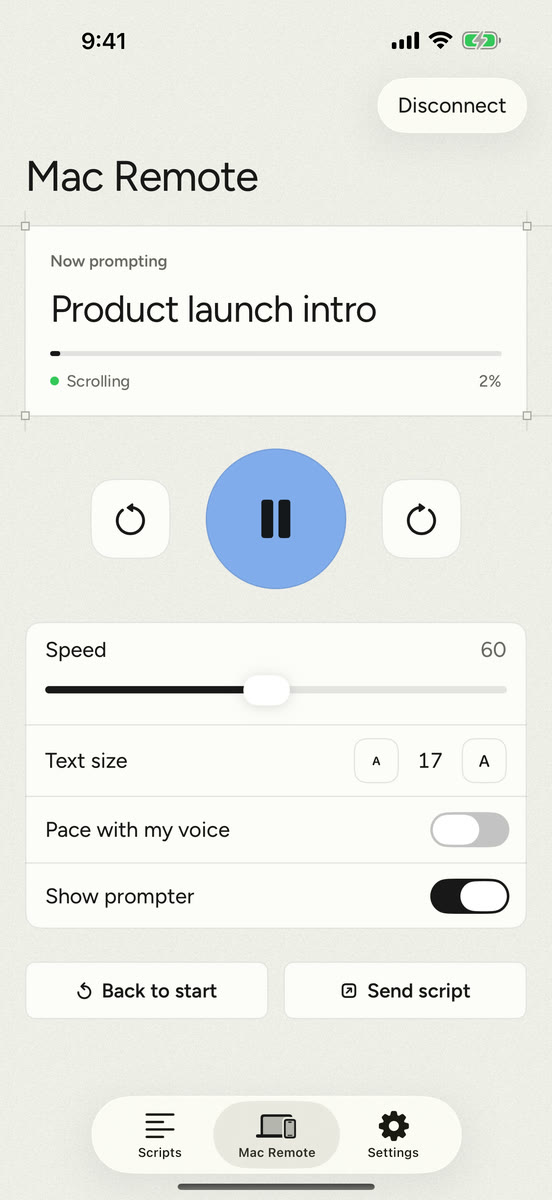
Play, pause, change speed and send scripts to your Mac from your phone, directly over Wi-Fi with a pairing code. No server in between.
Scripts are stored only on your device. The microphone measures loudness, and nothing is recorded or sent anywhere. No account, no analytics.
Sans, rounded or serif type, any size, on frosted glass or warm paper. Countdown, mirror mode for rigs, keyboard shortcuts, Bluetooth page-turners, and import from Google Docs, Word, PDF or text.
This is Sotto's voice pacing, running in your browser. Turn on the microphone and read the script. Stop talking and it waits.
Your text stays in this page. Nothing you type or say is sent anywhere.
Only loudness is measured, in your browser. Nothing is recorded. No microphone? Hold the button or the Space bar while you read.
Every feature comes with the one purchase. Pick a device to see what it does.
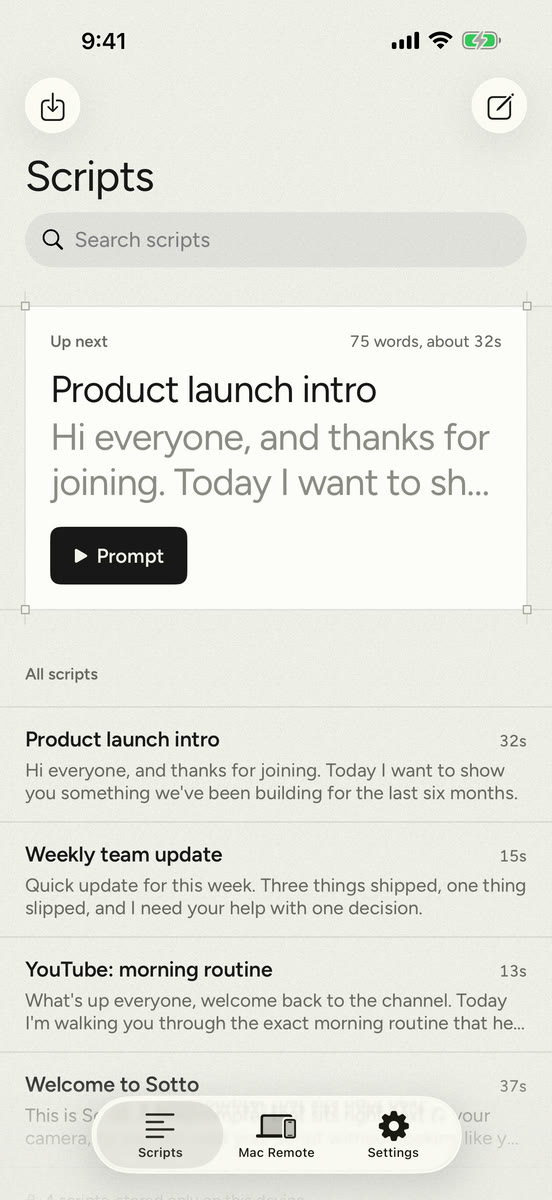
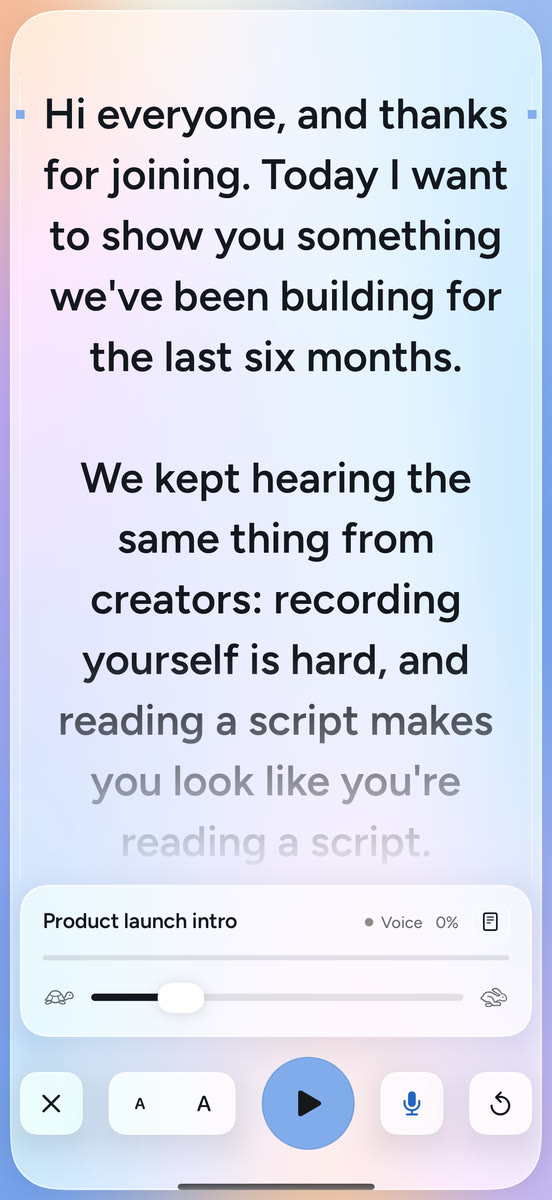
Write or import a script, hit Prompt, and read it from right under the front camera. Portrait or landscape.
No subscription, no in-app purchases, no account to create. Buy it once and every feature is yours.
The notch prompter in a private window, with global shortcuts and a menu bar control. macOS 14 Sonoma or later.
A full-screen prompter plus a remote for your Mac. iOS 17 or later.
Soon, on the Mac App Store and the App Store. Join the waitlist and we'll send you one email on launch day.
It's used for that one launch email and nothing else. It isn't shared or sold. Ask through the Support page and we'll delete it. The apps themselves collect nothing.
No. Sotto only measures how loud the microphone is, many times a second, to tell speech from silence. The sound is discarded straight away. Nothing is recorded, transcribed or sent anywhere.
Yes. On Macs without a notch, Sotto sits at the top centre of the screen, right where the camera is. You can also detach it as a floating window and put it anywhere.
Choose your webcam's or headset's microphone in Sotto's settings under Voice. Or turn voice pacing off and use a fixed speed.
Sotto marks its prompter as a private window, which asks macOS to leave it out of screen sharing and screen recordings. Before launch we'll list which meeting and recording apps we've tested it with.
No. Sotto is a one-time purchase. There's no account and nothing to renew.
Only on your device, inside Sotto. If you delete the app, its scripts go with it, so use Share to keep copies of the ones you care about.